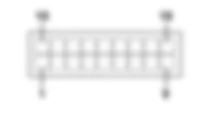
DescriptionThe vehicle has two special lamps for the dipped beam headlamps.The dipped beam headlamps are switched on through the steering column switch unit by turning the special ring nut in the position after the side lights (second position).The circuit is protected by two specific fuses housed in the body computer node, used individually for each individual light cluster.The 'Follow me home' function is designed to keep the dipped headlamps and the side lights on after the engine has been switched off for a time of 30 seconds or multiples thereof.ignition in OFF positionwhen the light flasher is operated within 2 minutes of turning the key to STEP (increase of 30 seconds per operation to a maximum of 210 seconds)Function programming is canceled by maintaining the light flasher operated for longer than 2 seconds.The instrument panel dsiplays the function activation time.For further details, see the relevant function under DESCRIPTION AND OPERATION.
Functional description The low beam activation control is issued by stalk unit H005 by turning lever unit A and B (both switches perform the same synchronous movement) to position 2..Body computer node M001:receives a negative signal ( relating to earth C020) at pin 2 (side lights) and pin 7 (high beams) connector P.767Earth C020 is fastened to the passenger compartment floor and positioned near the right front wheel arch (footwell area).When the signal has been received, it turns on the side lights (see wiring diagram E2010) and low beams.from pins 7 and 8 connector B, it supplies the low beams housed in the front light clusters F010 and F011;Both lines are protected by fuses F13 (left branch) and F12 (right branch) containedin the body computer node.767Supply lines protected by fuses F12, F13 are controlled by a relay housed in the body computer node. The follow me home function is activated by stalk unit H005, via key D (light flasher).Body computer node M001:receives a negative signal ( relating to earth C020 connector B) at pin 5 connector P See E2012 MAIN BEAM HEADLAMPS .Once it has received the signal, it turns on the low beams:from pins 7 and 8 of connector B, it supplies the low beams housed in front light clusters F010 and F011;Pressing lever unit D (light flasher) for longer than two seconds deactivates the function. From pins 35, 36 connector I, the body computer comunicates the instrument panel E050 via the CAN network (seei SeeE1050 CAN CONNECTION LINES for more details and turns on the side lights light system failure warning light. The instrument panel also indicates the follow me home function activation time by means of an LCD display.
<anchor>0</anchor><span>Removing</span><icon><imageid>20</imageid></icon>1Refitting211. Remove the cable pass on the right side of the vehicle from itsseating and open the cover.2. Remove the adhesive tape (2a) present on the wiring (2b) andrelease the windscreen/rear window washer tubes (2c).Release the wiring from the cable pass.Following the same procedure, release thewiring from the cable pass on the left of the vehicle.2046933
5505C34
768769
5505C35
<anchor>0</anchor><span>Removing</span><icon><imageid>20</imageid></icon>1Refitting211. Disconnect the aerial coaxial cable connections.2. Disconnect the electrical connections (2a), (2b), (2c), (2d),(2e) and (2f).2046939
<anchor>0</anchor><span>Removing</span><icon><imageid>20</imageid></icon>1Refitting21Disconnect the battery negativeterminal.2753183-7040A23frame of instrument panel on facia - r r1. Undo the retaining bolts.Partially remove the instrument panel.2. Disconnect the electrical connection.3. Remove the instrument panel.2046983
<anchor>0</anchor><span>Removing</span><icon><imageid>20</imageid></icon>1Refitting21Disconnect the negative battery terminal.Op. 7055A65 FRONT LIGHT CLUSTER MOULDING.FRAME (ONE) LH OR RH R R1690022371. Undo the retaining bolts.2. Disconnect the electrical connection.3. Remove the fog light.169002740
5540B19
<anchor>0</anchor><span>Removing</span><icon><imageid>20</imageid></icon>1Refitting21Disconnect the negative battery terminal.1. Working inside the engine compartment, remove the access cover to the bulbs.169002742
<anchor>0</anchor><span>Removing</span><icon><imageid>20</imageid></icon>1Refitting21Disconnect the battery negativeterminal.1. Release the retaining clip on the bulb protective/access cover.2. Remove the bulb protective/access cover.2046964
<anchor>0</anchor><span>Removing</span><icon><imageid>20</imageid></icon>1Refitting21Disconnect the battery negativeterminal.1. Release the retaining clip on the bulb protective/access cover.2. Remove the bulb protective/access cover.2046968
5540B84
1. Using a power saw (1a), cut the edges (1b) of the damaged left side bracket.169000726
767It is not possible toorder a single lock barrel or to order barrels using only the partcode. When ordering barrels, observe the special procedure set outin operation 5580 - Special Accessories. 768769
<anchor>0</anchor><span>Removing</span><icon><imageid>20</imageid></icon>1Refitting211. Disengage the fixing lugs (1a) and remove the cover (1b).2046919
5505A32
<anchor>0</anchor><span>Removing</span><icon><imageid>20</imageid></icon>1Refitting21Disconnect the battery negativeterminal.2753188-7040A37fuse box cover - r r1. Undo the retaining bolts.Disconnect the electrical connections.2. Remove the body computer.2046922